











Download and recover up to 1gb of data, free!
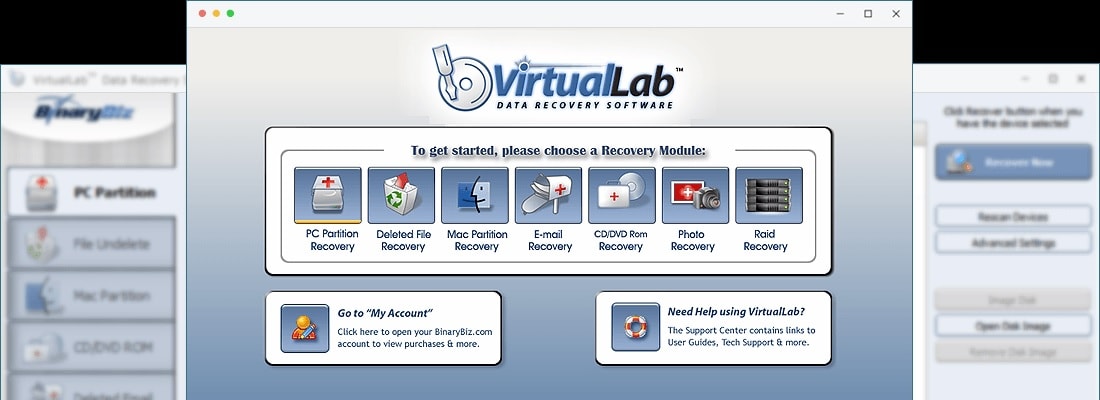
From recovering RAID to Mac drives, camera cards and even CDs (never tried that one)... this software really works well and has proven to be one of the best. As a computer repair company, tools like this are totally invaluable for my business.

A powerful recovery tool from BinaryBiz. The software recovers lost and deleted data, including e-mail messages and image files, and damaged and deleted partitions, including Mac drives and optical disks. It even recovers RAID arrays. It can recover it. And when it does, its modest purchase price won't be an issue.

What can I say? I owe the guys at BinaryBiz big time. When one of the back-up drives I use for my business failed, I lost a ton of data, and even more importantly, some time sensitive reports. Luckily I found your recovery tool, and still managed to make my deadline. Thanks guys!

I lost all my data, from my hard drive and my back-up external drive. I sent the external for data recovery to "experts". Some said there is nothing usable. Then I downloaded your recovery software. If only I knew about it, I would have done so as the first step. I recovered my lost files, what seems to be all of it, hassle free, in the format I had it, in perfect health. The speed of, the user-friendliness of, and logical operation is applauded as well.